Review Comments (0) Screenshots (4) Questions & Answers (0) Votes (0) Awards (11) Wiki  
Accessory Software
5.0
www.Accessoryware.com
Shareware
$19.95  Purchase
228 people
Download Photo Snap

Downloaded 1933 times

It is possible that the download link provided above does not refer to the intended version. If you are looking for Photo Snap, you may try searching for a download link using Google.

This software was checked for viruses and was found to contain no viruses.
Click here to see antivirus report.
 
Video tutorial for Photo Snap 3.0
Frame
This video tutorial has been acquired from Downloadtube.com

Review

This is official description applies to version 4.0

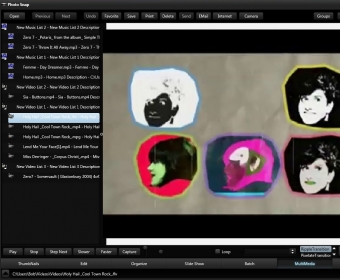
With this program you can to edit image files and to create slide shows. With this software, you are going to be able to find pictures on your computer, watch them, print them and send them via email. This program works well on Windows 2000, Windows 2003, Windows XP and Windows Vista.
 
The following review written by one of the Software Informer contributors applies to version 3.0

Photo Snap 3.0 is a very complete application which enables users to edit image files and to create slide shows between other things. With this software, you are going to be able to find pictures on your computer, watch them, print them and send them via e-mail. This program works well on Windows 2000, Windows 2003, Windows XP and Windows Vista.

With this application you will also be able to set the size and resolution of your image files. You can also edit your image files with techniques such as rotate, resize, brightness, contrast, gray scale, flip and more. The program comes with a text editor that will enable you to add any text to your image files. You can place the text on the image or aside it.

The good thing about this program is that it supports a lot of formats, including TIFF, BAT, LST, RTF, HTML, Mp2, Mp3, MOV, MPEG, MPG, AVI, WMA, WAV, MSP, BMP, ICO, TIFF, TIF and many more.

Photo Snap 3.0 also enables you to play audio files without exiting the program's main window. This software comes with a lot of advanced settings and editing tools that will be really useful to you.
  • It has got an intuitive and friendly interface.
  • It comes with a lot of editing tools.
  • It supports tons of formats.
  • None.

Reviewed by: Sebastian Fernandez

Reviewer rating:

Reviewed: 2 years ago

What's new in version 3.0

Interface Improvements, New Toolbars, Menus and Tabs.
Report a wrong version Report a wrong program title Suggest a correction

Screenshots

Image menu Image menu Main window Main window Image menu Image menu Create slideshow Create slideshow

Latest comments


There are no comments, be the first one!
Add new comment

E-mail Address:

Password:

Register now »

Forgot password?

Sign in with:
Download Software Informer Client
Copyright © 2012, Informer Technologies, Inc. About| Privacy and terms| Help| Feedback & Support| Partners program